We have exciting news! We’ve been selected to join the Windows Champions Bloggers Program. This is thrilling because as you know we love all things tech & gadget related. As part of this program, in the months ahead I’ll have the chance to receive some new devices as well as share with you lots of tips and tricks from Windows. Dave will even be heading out to Seattle for the Windows Champion Summit where he will learn how to make life easier and more enjoyable with Windows and Office.
In this first post, I have more exciting tech-related news. Did you know that the new Windows 8.1 is here?
 If you are a user of Windows 8 you know that the program was completely redesigned and that it took a bit to get used to. One of the most trickiest components we found was that the Start Button was gone. We did ok without it and found it manageable but the experience just wasn’t the same.
Good news! With Windows 8.1 the Start Button is back!
You can now even customize the Start Screen with new background colors and styles, as well as new tile sizes. You can also choose whether you want to start working from the Start Screen or the Desktop.
Other features include being able to see four apps side-by-side and new and improved Microsoft apps and services.
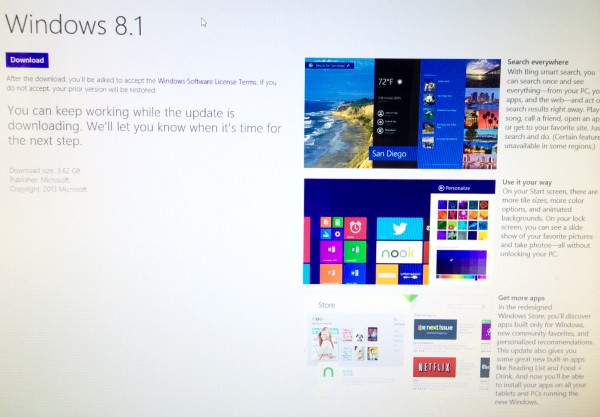 Once is down downloading and installing for me, I’ll be sure to share a screenshot of my Start Screen. I’m looking forward to customizing it!
 You can learn more about Windows 8.1 here in this Windows Blog post where you’ll also learn how to get the update for free if you have a Windows 8. There is also a link to a FAQ page that will answer questions you may have about Windows 8.1.
In other fun news, to celebrate the release of 8.1, Windows will pick 810 random winners per day with a promotional Windows Store Gift Card. You can learn how to enter in the blog post as well.
Also today at 3 pm EST, Windows will host a special Tech Thursday Live Chat on Twitter to discuss Windows 8.1. To participate simply follow along and jump on in using the the hashtag: #winchat.


Congratulations!! That is such exciting news. I am a Windows kind of gal. In fact mu husband is installing Windows 8.1 tonight on his computer. Can’t wait to see for most about all things Windows!
Yay! I’ve missed it.
I just got a new computer with the Windows 8 design and it’s really taken me a while to get used to it. Glad to see there is now a start button.
Sounds interesting, sometimes it is hard to go away from what you know to new things. However, like with most things are a little while you wonder why you didn’t do it sooner.
Congrats on being selected! I look forward to learning some techie stuff as I am technologically challenged to say the least! I don’t have Windows 8 as I am using a hand me down dinosaur!
I have yet to get 8 mine runs win7. I went kicking and screaming when they changed from XP and versions before. I dont see the change for awhile!